
Docs
Publishing
Push changes to the App Store and Google Play, publish as draft or send for review, and read the per-item publish report.
Publishing is the deliberate step that pushes your drafts to the store. Until you publish, everything you edit stays local to AppBoard - nothing is sent automatically.
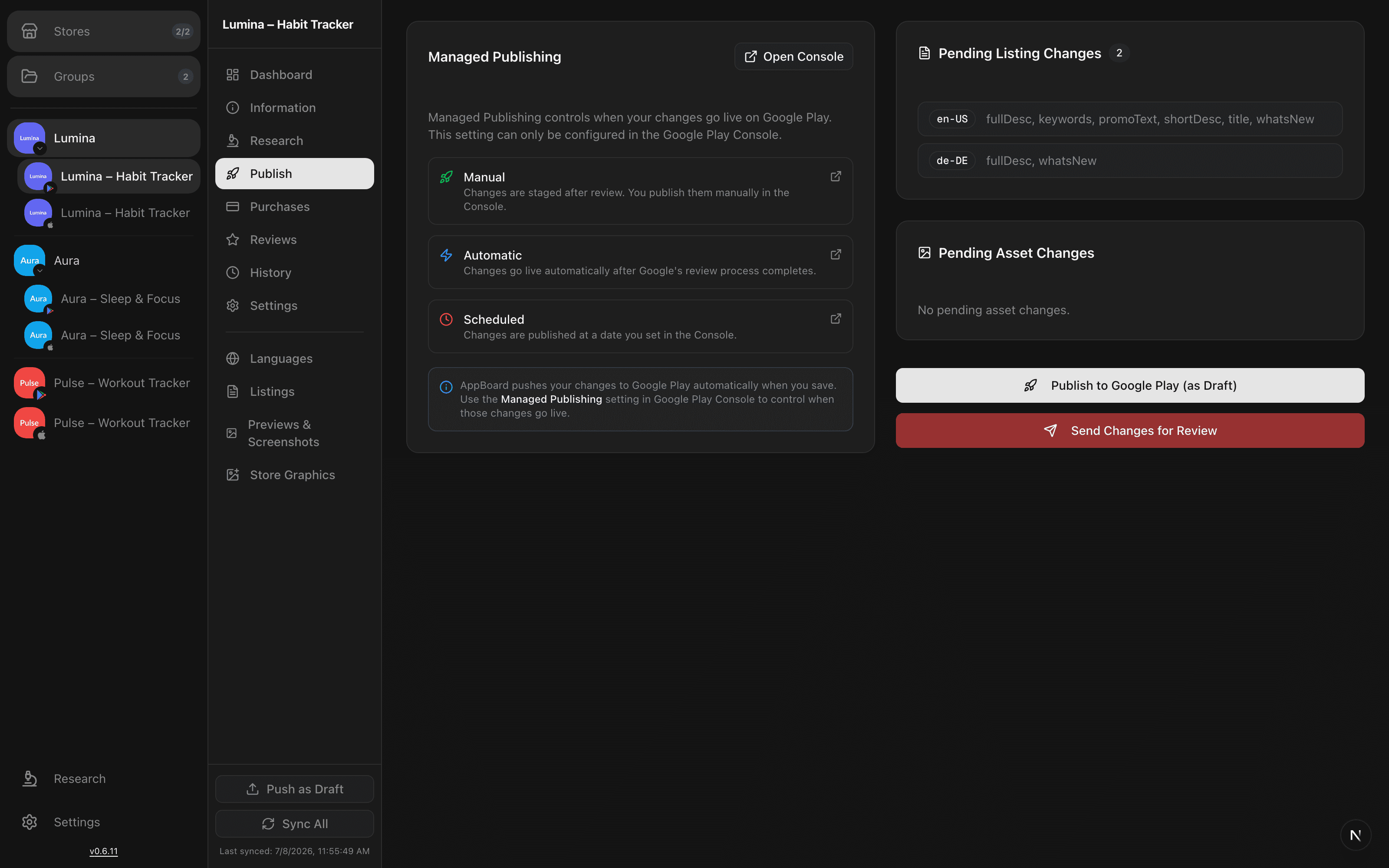
Review pending changes
The publish page lists every pending change per field and per language, so you can see exactly what will be sent before you commit. Changes that match the live store value aren't listed - only real differences show up.
Google Play
For Play apps you can:
- Push as draft - send the changes to the store without submitting them, so you can finish review inside the Play Console.
- Send changes for review - submit the update to Google.
Whether an approved change goes live immediately or waits is governed by your Play Console's managed publishing mode (manual, automatic, or scheduled), not by AppBoard.
App Store
For App Store apps, AppBoard pushes the version localizations for your changed languages back to App Store Connect. A dedicated action lets you publish every dirty version localization at once when you're working across many locales.
Batch publishing
When you push several items together, AppBoard runs them as a batch and returns a per-item report- each field/language pair shows whether it succeeded or failed, so a single rejected item doesn't leave you guessing about the rest.
Heads up: publishing sends data to the live store. Review the pending-changes list first, and remember that what happens after Google approves depends on your Play Console publishing mode.
After publishing
Every published change is recorded. Head to History & rollback to see the before/after diff for each field and language, and to roll a change back into your draft if you change your mind.