
Docs
Listings & languages
Edit titles, descriptions, and keywords per language with drafts, character counters, and dirty-state tracking.
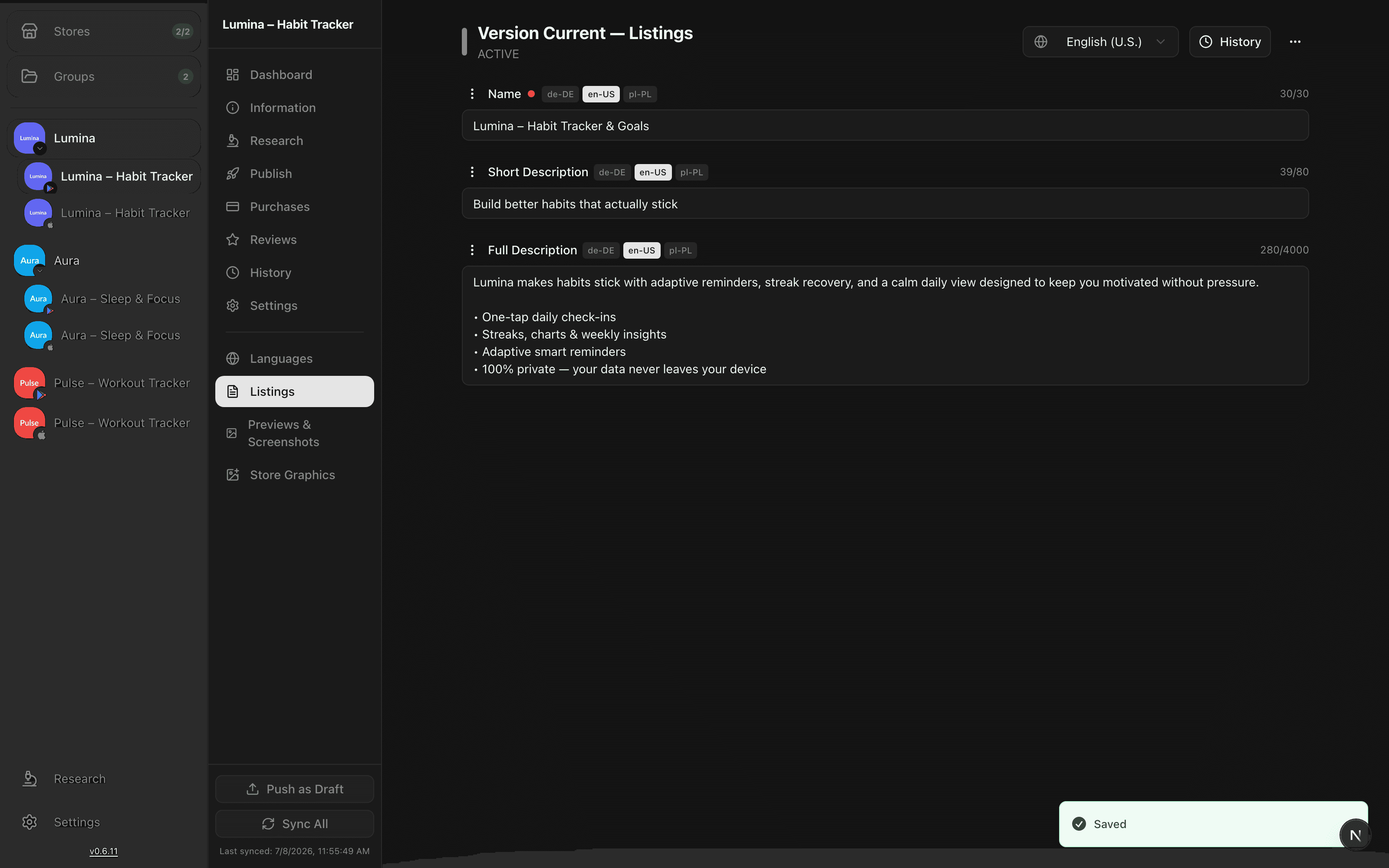
The listing editor is where you write the metadata that shows up on your store page. Every field is edited per language, so you can tune your Spanish subtitle without touching the English one.
Drafts and remote values
AppBoard keeps two copies of every field: the remote value currently live on the store, and your draft. You edit the draft freely; the remote value only changes when you deliberately publish. A language whose draft differs from remote is flagged as dirty so you can see at a glance what still needs pushing.
Fields
| Field | Notes |
|---|---|
| Title / name | Your app's display name in the store. |
| Short description | The tagline shown above the fold. |
| Full description | The long-form pitch on the store page. |
| Keywords | Search terms used for App Store indexing. |
| Promotional text | Editable without a new release on the App Store. |
| What's new | Release notes attached to a version. |
Available fields vary by store - the editor only shows what the platform supports for that app.
Character counters
Each store enforces its own length limits. The editor shows a live counter for every field and warns you as you approach the cap, so you never submit metadata the store would reject.
Working across languages
Switch languages with the tabs at the top of the editor. Each language is an independent draft with its own dirty marker, which keeps large multi-locale listings manageable. When a draft looks right, move on to publishing - nothing you type here reaches the store automatically.
Need help filling a field? The AI assistant can draft descriptions, translations, and keyword sets for you to review before they land in a draft.